| Products | Features | Sales | What's
New
| Download | Support | Tutorials | Newsletter new!| DOTM | About
| DemoZone |
|||
|
|||
|


>>> Yes indeed, this site may use cookies. Chocolate chip cookies? Not likely. Happy surfing, and thanks for waffling and howling!
Where to order PD Howler, PD Artist or Tutorials?
Click here to Order
We now also offer collections of tutorial videos:
New: tutorial collection:
Working with Stabilized Video
Tutorial collection:
Cloudy, with a chance of Waffles
Tutorial collection:
Meteor Shower
Landscape Rendering and Skies
The Best of Digital painting with PD Howler 2024:
PD Howler 2024 - Build 92
PD Howler 2024 - Build #89
Material Properties editing is coming - new in build #87

New in build #81:
Half-tone mode on custom brushes.
You can also use it to abuse it - here we used it as an
elevation map to render a canyon with pilars:

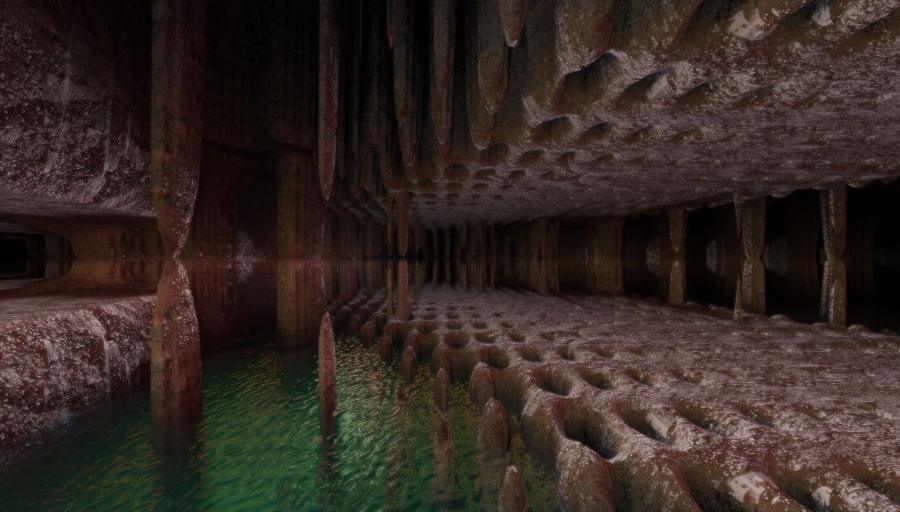
Double-Loading

Combining 3D and Digital Painting
Can your Image editing &
Paint tool help you to create this in just minutes?
NASA Rover on Mars

(vehicle 3D model from NASA website download in Blender
format, converted to OBJ, loaded and rendered in PD Howler
then composited and post edited in PD Howler for added
background scene also created in PD Howler)
Spooky Space Station - Interior


Spooky October is here - Halloween Specials!
65% off the regular price, for PD Howler 2024
Order here: thebest3d.com/sales
Select PD Howler 2024 or PD
Artist 2024
No discount code needed - This discount is automagic!
Expires shortly after Halloween Oct 31st
Need an even better deal? Also check the
author's direct promos at https://pdhowler.com/Cart.htm
PD Artist 2024 build 77 is here!
Order PD Artist 2024 or PD Howler
2024
Learn about
PD Howler 2024 | Read the latest
newsletter
Happy Labor Day - Builds 75 / 76
are here!
Save 50% off the regular price - limited
time.

Build 70 is out and available
now!

Build 69 of Howler 2024 -
integrating PBR!
(Physics Based Rendering)


(Birds of a Feather will flock together)
PD Howler 2024 - Build 61 is
now available!
Order PD Howler 2024: here
(through
BMTmicro)
or
here
from the Developer (Dan Ritchie) directly
Recently added/improved:
(straight from the Captain's Log)
- Animated Gifs - We've got preliminary support for loading gif animations in Howler
- Committed a 270 word spelling library to the API. It's a start. Can you guess where that's going?
- Added an API for working with GIF animations and additional support for wide strings.
- The OBJ loader is now 64 bit - try the free standalone version
- In the geometry renderer, you can now open a file in its default program(such as 3D Builder, 3D Viewer, 3D Paint,... whatever you've configured it to be on your PC) or also with Notepad. This helps in quickly checking details and perhaps fixing possible issues in the materials or obj files.
- Stored animations now show the frame number (!)
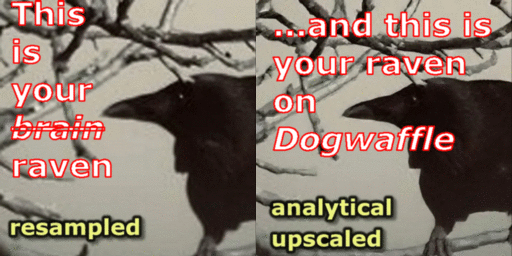
- Analytical upscale now warns if its going to close an animation.
- faster clipmaps and some general optimization
- The mip-map seam problem is solved. (yay me!)
Status update June 9 - state of the new pipeline implenting PBR
(Physics Based Rendering)
PD Howler 2024 (v17) is now available > Order here.
Learn more about Howler 2024.
If you have an earlier version, use your discount code for even more savings at 50% off the regular price.
Contact us if you need your discount code to upgrade at reduced pricing


|
||||||||




about us
WOOF - the Slideshow
Main Features
Newsletter
PuppyRay - rendering animated landscapes on GPU!
Free Demo
Tutorials
More Howler
Landscapes
ElevationMaps
CityScapes
Older Slideshows:
Slideshow 9.5Slideshow 9.0
Slideshow 8.2
Slideshow 6
Slideshow 5
PD Howler
I am the best
of the best! woof!
other projects:
3-D PrintingHot!
Gamedev
Digital Painting
Animating & Video
Royalty-free Music
More 3D Tools
Recent Videos and
Tutorials on our YouTube channel:
YouTube:pdhowler
